Learn Coding & STEM from Zero Without Buying Expensive Equipment
Interactive platform where kids 8-15 can practice building robotics and games using built-in simulators. Safe, structured, and fun!
Does Your Child Spend Time on Gadgets Without Real Skills?
Just Passive Watching
Too much entertainment without interaction or tangible output.
Playing Games Constantly
Playing others' games but not knowing how to create their own.
Expensive & Complicated Hardware
Want to learn robotics but worried about Arduino cost and setup.
With Kodibot, Kids Learn Through Practice, Not Just Watching
We turn your child from "Tech Consumer" into "Tech Creator". All content is designed interactively so even complex concepts are easy for kids to grasp.
1. Learn
Watch short animated videos or read interactive comics explaining coding logic basics.
2. Practice
Complete challenges in the Interactive Simulator. If wrong, kids learn self-debugging.
3. Create
After completing core modules, kids freely create robot/game projects in the "Playground".
After Graduating, Your Child Will Be Able To:
World-Class Simulator Integrated Into the Curriculum
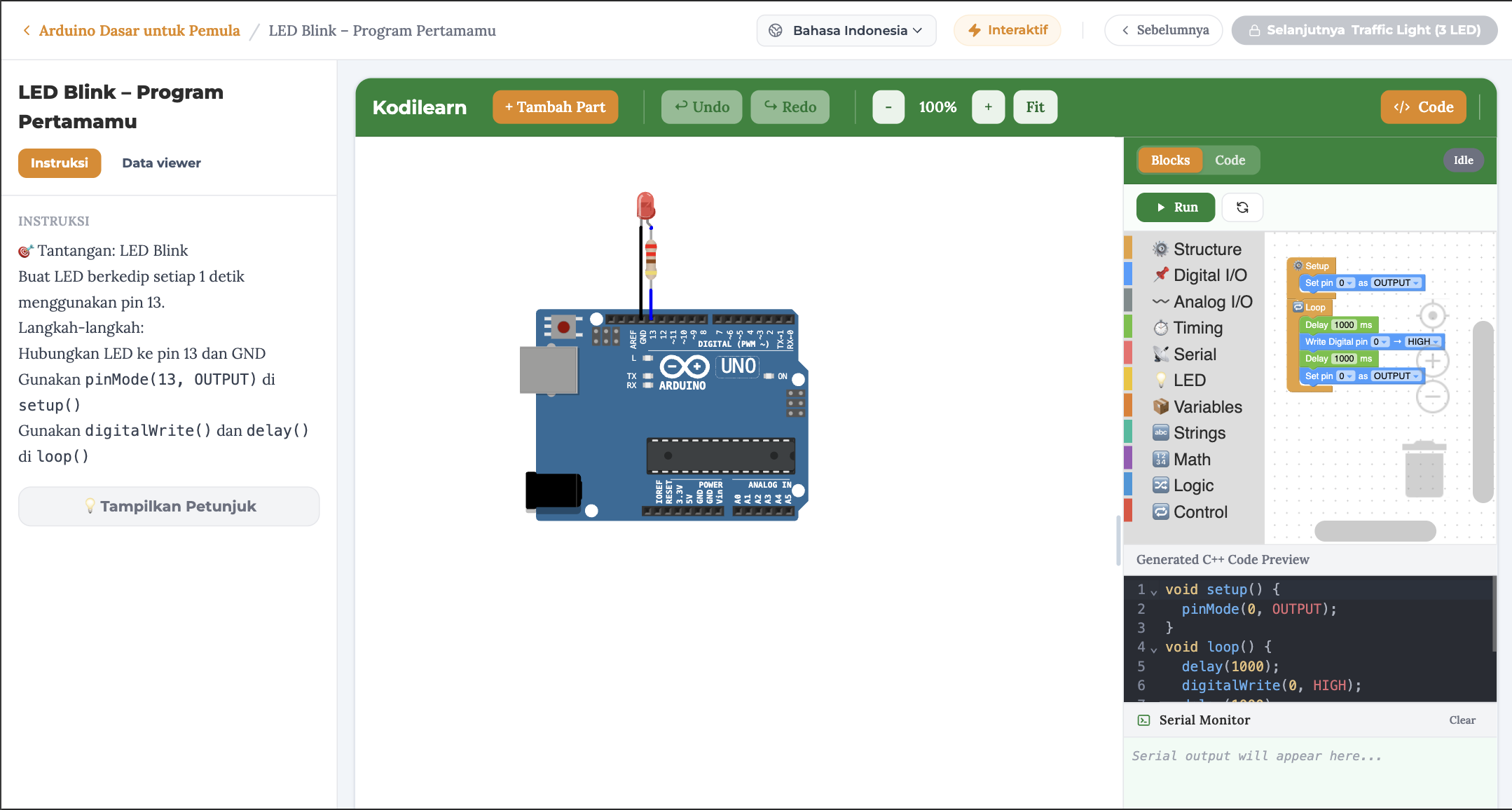
Kodibot doesn't just use public simulators. Our Blockly & Arduino simulator is built into learning missions. The system auto-detects when wiring or code is correct!
Circuit Builder
Build circuits with drag-and-drop. Battery, LED, resistor, switch — all react in real-time with realistic physics.
Conductor & Insulator Quiz
Guess which materials conduct electricity. Visual current animations answer right or wrong instantly.
Short Circuit Visualizer
Deliberately create a short circuit — watch wires heat up, smoke, and components burn. Learn the danger with zero real risk.
LED Polarity Challenge
Install LEDs correctly level by level. From a single light to traffic lights — debug reversed polarity.
Structured Learning Path
We don't throw kids at random videos. Your child climbs a ladder of appropriate difficulty.
Coding Path
Visual programming
Scratch Basics
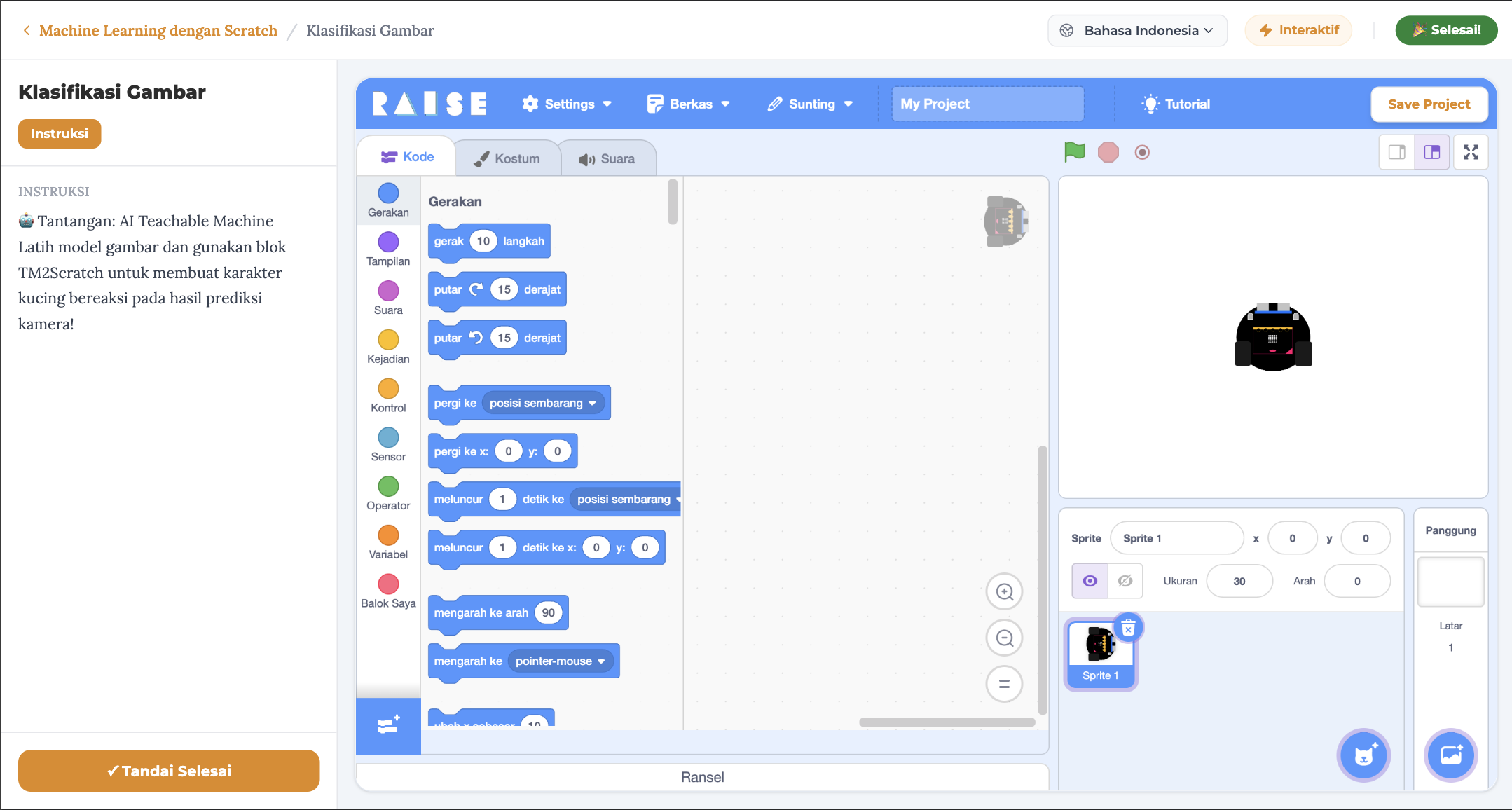
Learn looping, conditions, and variables through games and animations.
2 interactive gamesMakeCode IoT
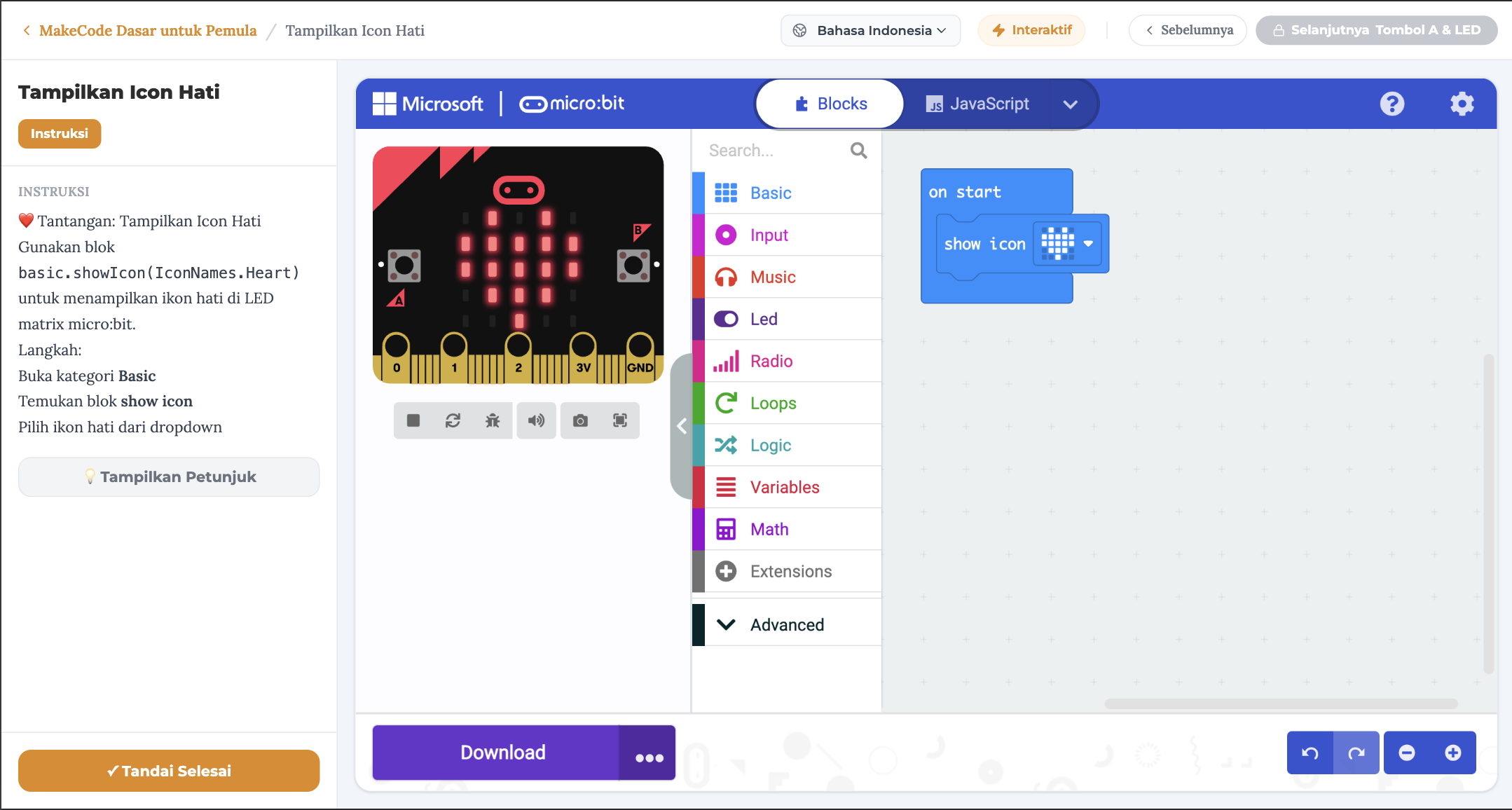
Transition from screen to virtual physical devices. Sensor and Micro:bit interaction.
Smart home simulationArduino Virtual
Build circuits, breadboard, and structured C++ programming via visual blocks.
Arduino robot projectElectronics Path
Circuit fundamentals
Basic Electronics
FREECircuits, LEDs, resistors — interactive simulator with real-time feedback.
5 circuit experimentsArduino Virtual
Build circuits, breadboard, and structured C++ programming via visual blocks.
Arduino robot projectAI & Machine Learning
No code required
Train Your Own AI, No Code Required
FREEKids collect images, sounds, or poses — then watch the machine learn in real-time. A hands-on intro to Machine Learning that feels like magic.
Image, Sound & Pose recognitionAll paths lead to real-world skills. Kids can start with any track based on their interest — coding, electronics, or AI. They can also take all!
Why Choose Kodibot?
We design a fundamentally different future for education.
| Key Features | YouTube Learning | Classic Offline Courses | Kodibot Platform |
|---|---|---|---|
| Structured Curriculum | |||
| No Expensive Hardware | |||
| Auto Evaluation/Correction | |||
| Flexible (Anytime & Child's Pace) | |||
| Cost | Gratis | Rp 500k-2jt/bln | Lifetime |
Trusted by 500+ Parents in Indonesia
Join a community of parents who care about their children's STEM education.
"My kid who used to just watch YouTube on his phone can now create his own games in just 2 weeks. Totally worth it!"
"Finally a platform where my daughter doesn't get frustrated. The step-by-step approach with the simulator made learning Arduino actually fun for her."
"Worth every rupiah. Before Kodibot, I spent Rp 2 million/month on robotics classes. Now one-time payment and my son learns at his own pace."
Choose Your Access
Get lifetime access to all courses or purchase individual courses.
Founding Member
Limited to 100 slots
One-Time Payment, Access Forever
Or Buy Per Course
Choose individual courses as your child progresses. Many courses are free to try — register and start learning immediately.
Parent FAQ
Is this platform suitable for kids with no coding experience?
Absolutely! Kodibot curriculum is designed from scratch. We start with visual block coding (like Lego) in Scratch, so kids won't be overwhelmed by complex text code.
Do I need to buy hardware like physical Arduino before learning?
No! That's Kodibot's main advantage. All classes include in-browser Interactive Simulator. Kids can wire virtual cables, light virtual LEDs, and test sensors without physical hardware. You're only recommended to buy physical (optional) after they complete and understand the basics.
Are there free courses?
Yes! Many introductory courses like Scratch Basics and MakeCode Intro are completely free. Just sign up — no credit card required — and your child can start learning immediately.
How long to complete the course?
We use self-paced learning. Kids learn anytime at their own speed. On average, kids complete 1 module in 30-45 minutes.
Will my child get a certificate?
Yes. E-Certificate is issued automatically when kids complete major milestones. Can be used in portfolios for school applications.
Give Your Child Future-Proof Skills Today.
Join the Kodibot Parents community that cares about STEM.